Generative AI Performance Report in Google Search Console
Learn how the generative AI performance report in Google Search Console works, what it measures, and what it means for your AI search visibility.

By Maximus Mediascape
TLDR
Connect Instagram, TikTok, and YouTube to GSC. Learn how to track social media performance in Google Search Console to see which search queries drive traffic.
Ask AI to summarise
For years, Google Search Console was something you opened to check how your website was performing. You looked at clicks, impressions, search queries, and technical issues. Your social media analytics lived somewhere else, inside Instagram, YouTube, TikTok, or X.
That has changed.
Google now allows you to connect supported social media accounts directly to Search Console through Platform Properties. This gives businesses a new way to understand how their social content is discovered through Google Search.
If you have been wondering how to track social media performance in Google Search Console, this guide explains what has changed, why it matters, and how you can use the data to improve both your content and your visibility.
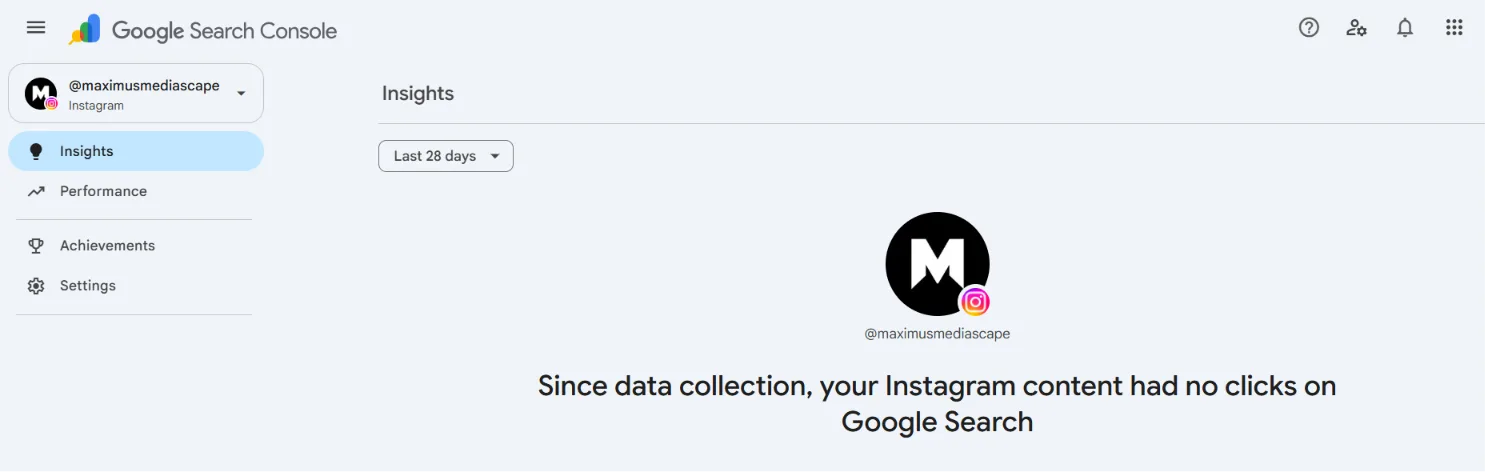
Search and social media have slowly been moving closer together for years.
People no longer discover businesses through websites alone. They find Instagram posts, YouTube videos, TikTok clips, and X posts directly from Google Search.
That means your social content is no longer only competing inside social platforms. It is also competing in search.
Understanding how to track social media performance in Google Search Console helps you see which social posts are appearing in Google, which search queries are driving traffic, and which topics deserve more attention.
It is another piece of the puzzle when building a stronger digital presence.
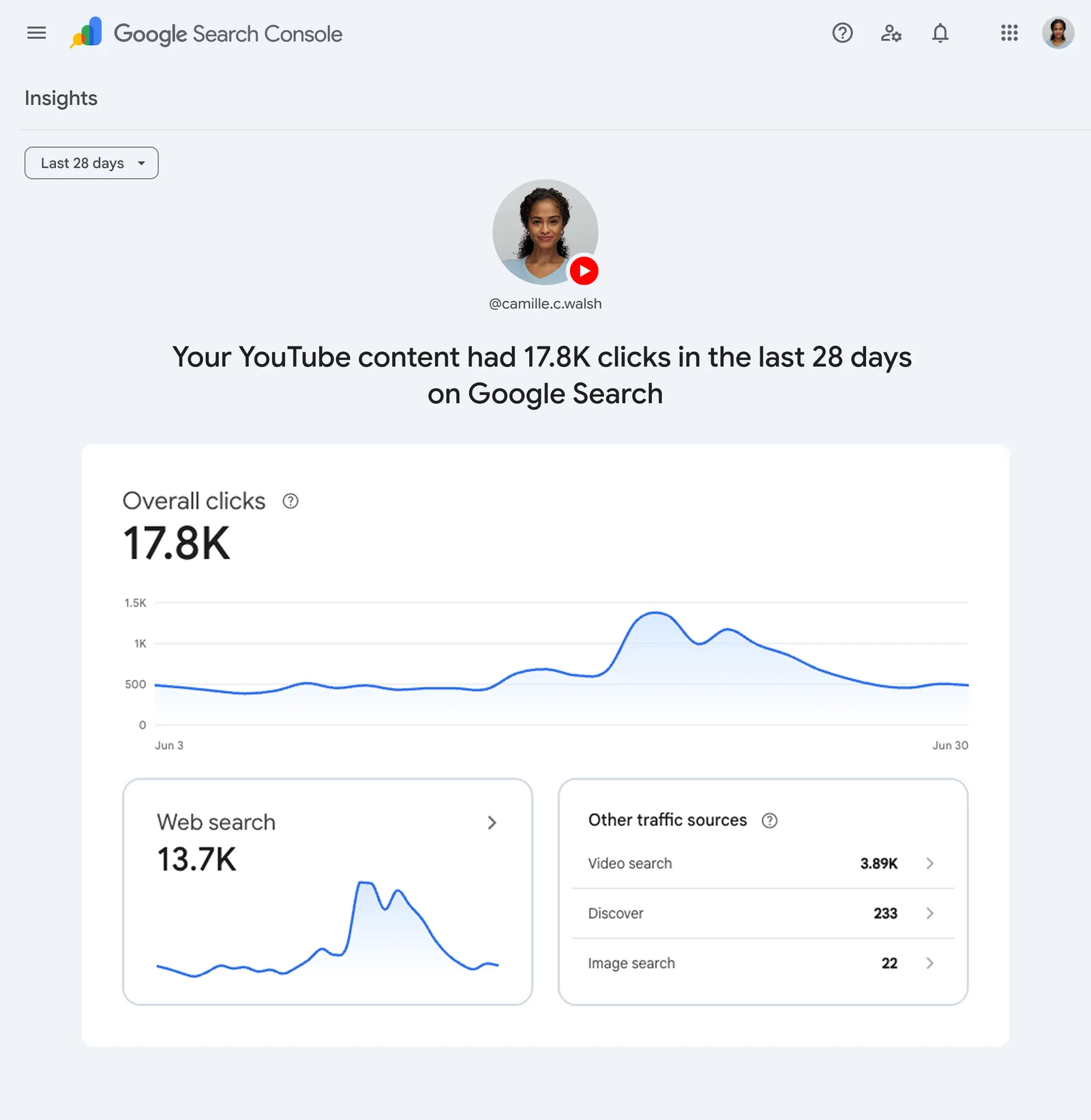
Platform Properties are a new property type inside Google Search Console.
Instead of adding only websites, you can now add supported social media platforms and monitor how their public content performs within Google Search.
At the moment, Google supports:
Each platform becomes its own property inside Search Console, with its own reports and performance data.
It is important to understand that Search Console is not replacing Instagram Insights or YouTube Analytics.
Instead, it answers a different question:
“How are people finding my social content through Google?”
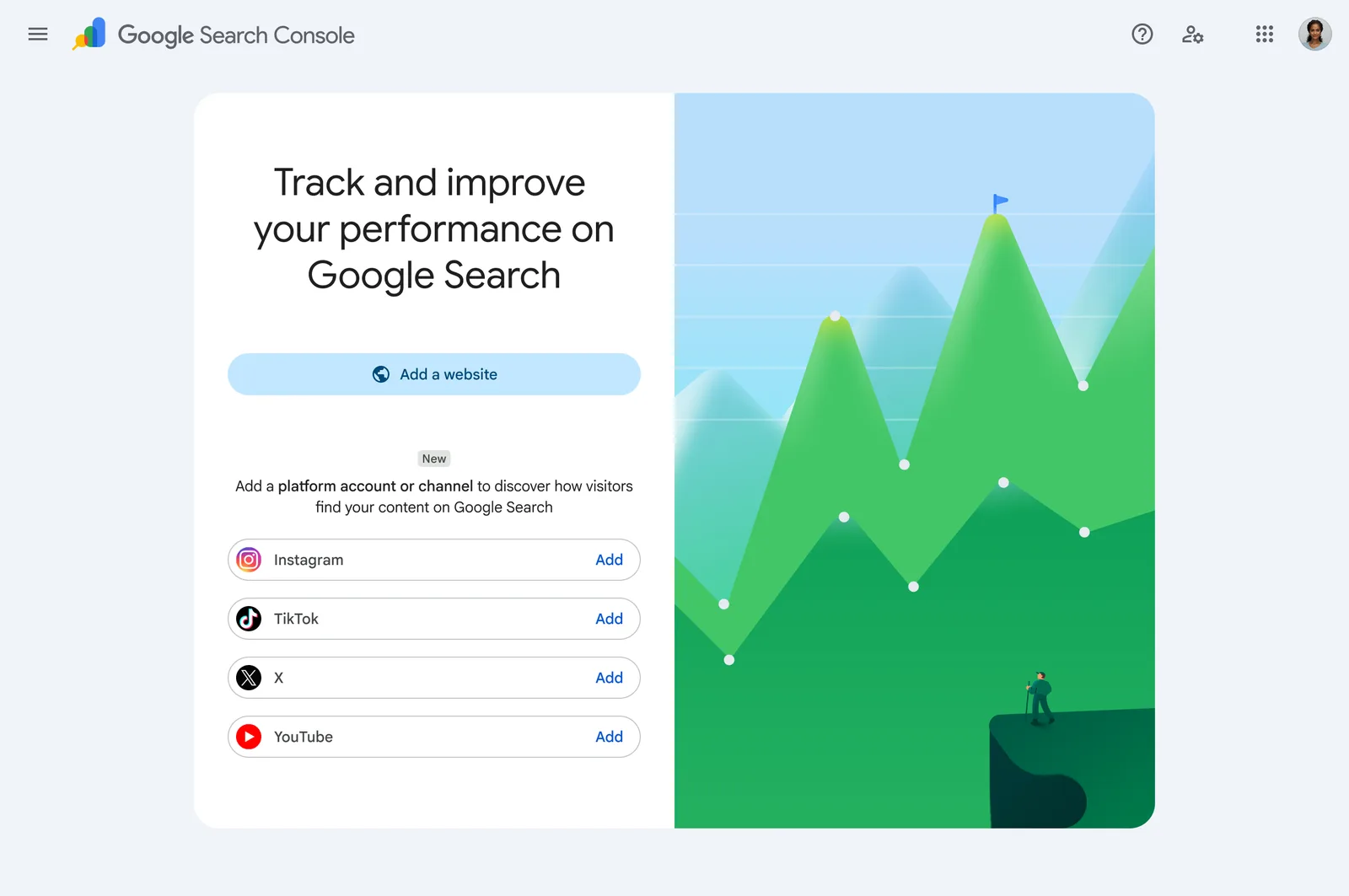
Once your account has been verified, Search Console provides three useful reports.
This shows:
You can also filter the data to see which posts are generating traffic from Google Search, Discover, and Google News where applicable.
This is probably the most useful report because it connects search behaviour with individual pieces of content.
The Insights report gives a broader overview.
It highlights:
Instead of looking through hundreds of rows of data, you quickly see what is working.
Search Console now celebrates milestones based on search performance.
For example, reaching a certain number of clicks from Google Search over the last 28 days.
While this is not the most important report, it provides a simple way to monitor long term growth.
This update is not really about Search Console.
It is about understanding customer behaviour.
Imagine someone searches:
“How much does website design cost?”
Google shows one of your Instagram posts.
That visitor clicks the post.
Without Platform Properties, you would never know that Google search generated that visit.
Now you do.
That changes how you think about content.
Instead of creating social posts purely for engagement, you can begin creating content that also answers search demand.
That is a very different strategy.
Setting everything up only takes a few minutes.
Each social account needs to be added separately.
Once verified, you will begin seeing search performance for that individual platform.
If you cannot see Platform Properties yet, do not worry. Google is rolling the feature out gradually.
Follow these simple steps to connect your social media profiles with Google Search Console and start monitoring their search visibility and performance.
| Step | What You Need to Do |
|---|---|
| 1. Open Google Search Console | Sign in to your Google Search Console account using the Google account that manages your website or business. |
| 2. Click the Property Selector | Select the property dropdown located in the top-left corner of the dashboard to manage or add a new property. |
| 3. Select “Add Property” | Click Add Property to begin adding a new website or supported social media property for tracking. |
| 4. Choose Your Social Platform | Select one of the supported social media platforms or property types you want Google Search Console to monitor. |
| 5. Complete Verification | Verify ownership using Google’s recommended verification method to activate performance tracking. |
| 6. Allow Data Collection | Wait a few days while Google gathers search performance data. Once processed, you’ll be able to monitor impressions, clicks, indexing, and other valuable SEO insights. |
The data becomes valuable when you stop treating every post as a one-off.
Suppose Search Console shows that people keep finding one of your Instagram posts by searching:
“how to improve website speed”
Instead of moving on to the next trend, you could build an entire content cluster around that topic.
For example:
One search query becomes multiple pieces of useful content.
That is far more sustainable than constantly asking, “What should we post today?”
For a long time, SEO and social media were treated as separate disciplines.
SEO focused on websites.
Social focused on engagement.
That separation is becoming less useful.
Google now indexes more social content.
AI search engines increasingly understand content across multiple platforms.
Customers move between Google, Instagram, YouTube, ChatGPT, and back again before making a decision.
Businesses that connect those touchpoints will have a stronger digital presence than businesses that treat every platform as its own island.
One mistake is focusing only on likes and followers.
A post with modest engagement inside Instagram may still perform well in Google Search.
Another mistake is creating content based only on trends.
Trending audio disappears.
Questions people search for often remain relevant for years.
Finally, many businesses collect data but never use it.
The value of learning how to track social media performance in Google Search Console is not the dashboard itself.
It is what you do after reading the dashboard.
If a topic keeps appearing in search, create more content around it.
If older content starts receiving new traffic, update it rather than abandoning it.
Let the data shape your content strategy.
Google is clearly moving towards a broader understanding of online presence.
Your website is still important.
But it is no longer the only place where your business is discovered.
Your videos, social posts, and public content are becoming part of your search footprint.
Businesses that understand this shift early will have an advantage.
Instead of treating SEO and social media as separate channels, they will build one connected content strategy.
If you have access to Platform Properties, spend twenty minutes exploring your search queries.
Look beyond clicks.
Look at the questions people are asking before they discover your content.
Those questions are often your next content calendar.
If you want to keep up with changes like this and learn practical ways to improve your digital presence, follow Maximus Mediascape on Instagram:
https://www.instagram.com/maximusmediascape/
We regularly share practical insights on SEO, AI search, websites, and digital marketing that businesses can apply straight away.
Related guides: Generative AI Performance Report in Google Search Console, Mastering First-Party Data Strategy for Privacy-First Growth.
It is a new feature called Platform Properties. It allows you to connect your social media profiles directly to Search Console so you can see how your public posts and videos perform within Google Search, Discover, and Google News.
At the moment, Google supports Instagram, YouTube, TikTok, and X (formerly Twitter). You need to add each platform as a separate property within your Search Console dashboard and verify ownership for each one.
No. This tool does not track in-app engagement like likes, shares, or watch time. Instead, it shows you the “search intent” data, revealing exactly what people searched for on Google before they clicked on your social media content.
Open Google Search Console, click “Add property,” and select one of the supported social platforms from the list. You will then be prompted to sign in to that account to verify that you are the owner. Once verified, data will start appearing within a few days.
Google is rolling out Platform Properties gradually to users worldwide. If the option does not appear in your property selector yet, it should be available in your account soon as the rollout reaches more regions.
By seeing the exact phrases people use to find your social content, you can stop guessing what to post. You can identify which topics have the highest search demand and create more content that directly answers your audience’s questions and needs.
Google has been indexing public social media content for a long time. This update simply provides the data and transparency so you can see which specific posts are being discovered and how often people are clicking them from search results.
Want this handled for you every month? See our Care and Growth plans, start with the Starter plan, or see all our services. Curious who we are? Read about us and how we work.
Built to be quoted by AI. This page ships with the same structured data we set up for clients.

Learn how the generative AI performance report in Google Search Console works, what it measures, and what it means for your AI search visibility.

Learn how to integrate social media into your digital marketing strategy to improve leads, SEO, and brand awareness. Get practical tips and a free marketing audit.

Niche media marketing strategies for small UK businesses that bring real leads. Learn where to show up, what to offer, and how to track results. | Maximus MediaScape
Three months, a one-page website and no ad spend: 5.3K+ organic Instagram followers, 3,000+ enquiries and ₹10 lakh+ (£30K*) in revenue, plus press coverage.

Discover why brand mentions matter more than backlinks and how they can build recognition, credibility and visibility across search, social and AI.

Learn how AI is changing the way brands talk to customers with speed, personalization, and 24/7 support. Includes a real UK wellness case study.
Type what you want to be found for. We'll come back with a real plan, not a sales pitch.