What Early Users Actually Report About Claude Motion
Claude Motion has been in beta for days. We read the launch article, the reviews and one creator's 16 videos to separate what is tested from what is repeated.

By Maximus Mediascape
TLDR
Claude Motion turns a prompt into an animated explainer and Claude Dashboards builds live dashboards from your data. Here is what that changes in AI motion design, and what still needs a human.
Ask AI to summarise
Right on schedule. Another day, another 50 startups absolutely crushed by Claude. Or so your timeline would have you believe, roughly four minutes after the announcement.
Today, Anthropic put Claude Motion and Claude Dashboards into beta. Claude Motion turns a prompt into a short animated explainer. Claude Dashboards turns your data into a live dashboard that keeps itself up to date. Docs, Slides and Design have also left beta and now sit on every plan, including Free. You can read the original in Anthropic’s own words: Build live dashboards and animate explainers with Claude.
We are a creative and digital agency that sells video production and animation, so you might expect us to be sweating into our keyframes. We are not. We are, if we are honest, properly excited. Slightly smug, too, because we have been saying for a while that the interesting question about AI motion design was never “will it replace us?” but “what do we do with the time it gives back?”
No startups were harmed in the writing of this headline. Probably.
Strip away the hot takes and the announcement is fairly clear.
| Feature | Free | Other paid plans | Team and Enterprise |
|---|---|---|---|
| Claude DashboardsBeta | Not listed | Available | Available |
| Claude MotionBeta | Not listed | Not listed | Available |
| Docs, Slides and DesignOut of beta | Available | Available | Available |
One detail we rather like: in Claude Dashboards, clicking any number shows the query behind it, and each chart shows when its data was last refreshed. Showing your working is not glamorous, but it is the difference between a dashboard you trust and a dashboard you screenshot and hope for the best.
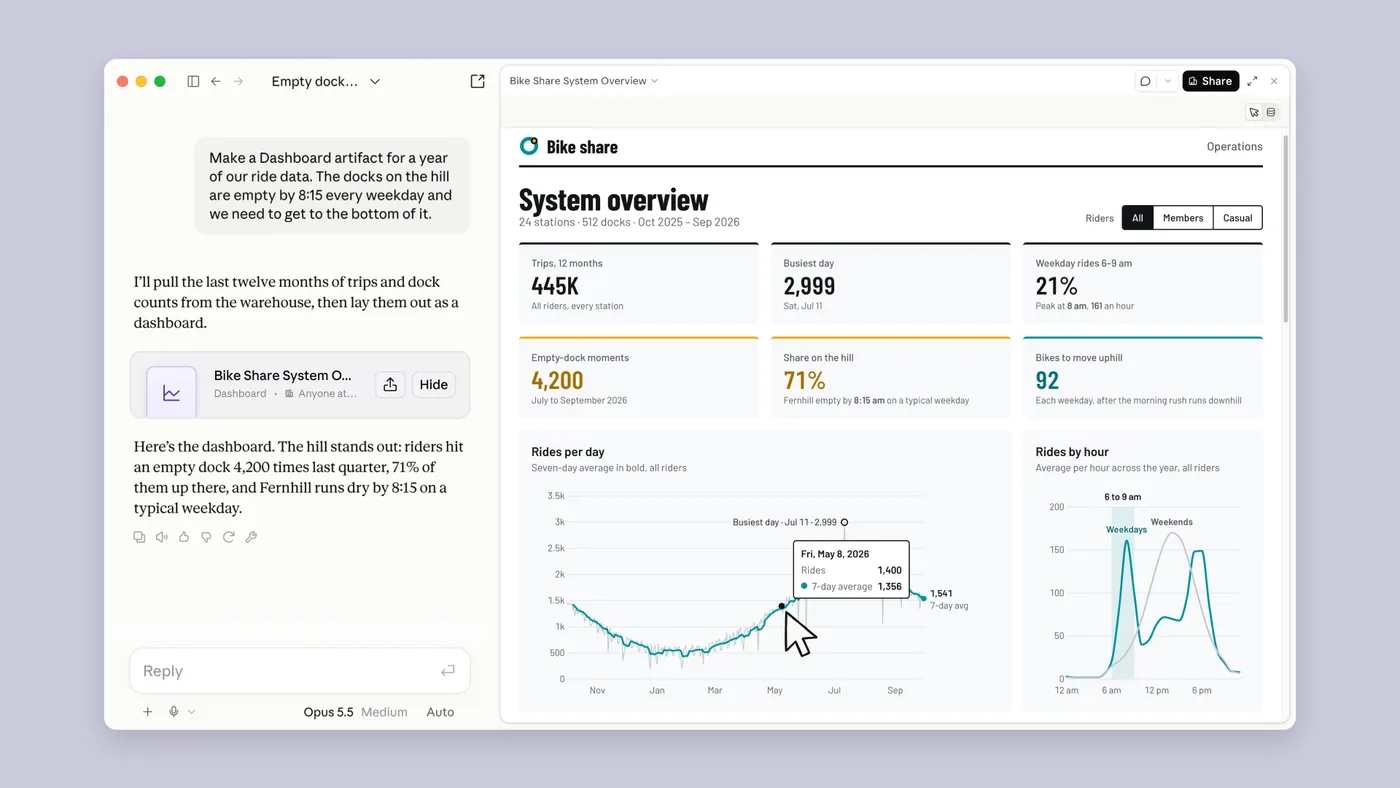
Here is the line that matters most for anyone who makes moving images for a living. Anthropic says Claude Motion writes code that animates text, charts, shapes and images, and that it does not use a video generation model.
Our translation: it behaves less like a slot machine that dreams up footage and more like a very fast, very obedient motion graphics developer. That is good news if you need the numbers on the chart to be the actual numbers and the logo to stay the logo. It is less good news if you were hoping to type “cinematic drone shot of our SaaS product at sunset” and receive a film.
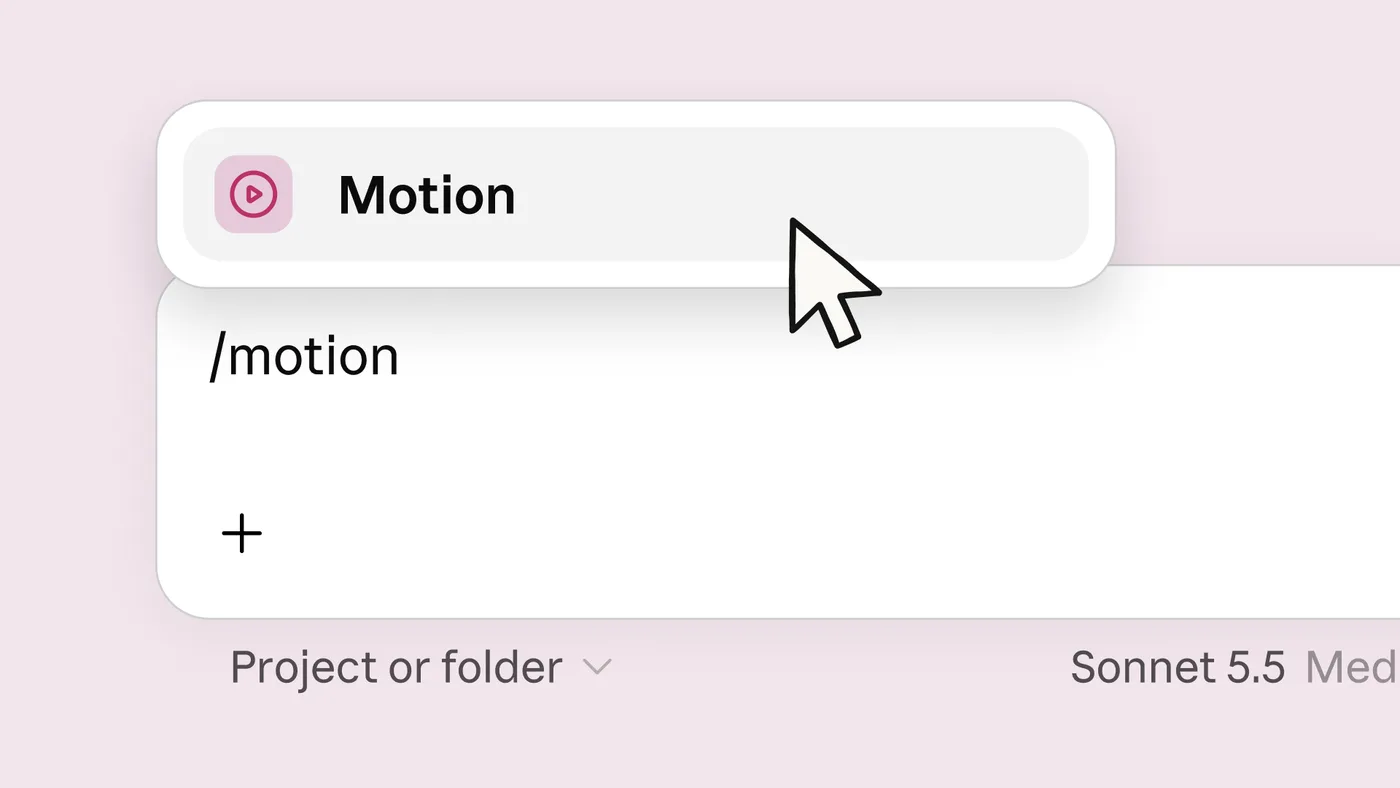
You start it by typing /motion in the Claude message box, describe what you want, then either edit it in the editor or ask Claude to change it. When you are happy, download it as an MP4.
Anthropic’s demo video shows the full loop: Claude builds a dashboard from bike-share ride data, then animates it with Claude Motion. Press play below and judge for yourself.
Why would a motion team care about a dashboard? Because so much explainer work is really data work wearing a nice jacket. The quarterly results video. The onboarding walkthrough with real numbers in it. The “here is what happened this year” animation that someone has to rebuild every twelve months.
Put a dashboard builder and a motion builder in the same place and the gap between “we have the data” and “we have a video of the data” gets very small. That is the part we think people are underestimating while they argue about whether the animation is pretty enough.
Claude
Anthropic also lists a long run of places a dashboard can be sent, including Amplitude, Grafana, Hex, Mixpanel, Omni, Perplexity, PostHog and Sigma, with Looker, monday.com and Tableau marked as coming soon. Notice the pattern: this is not a walled garden. It is built to plug into the tools people already use. We will come back to that.
Let us be useful for a moment, before the sarcasm creeps back in. If a tool can turn a prompt into a short, clean, on-brand explainer, some kinds of work get cheaper and faster. Not all kinds.
Claude can mostly handle it
Still needs a human
On the left sit the jobs that are mostly assembly: templated explainers, animated charts for an all-hands, a tidy product walkthrough. These are exactly the briefs Anthropic uses as examples, and they are where we expect the biggest shift. If your whole offer is “we will make a 30-second explainer from a template in three weeks”, this is a good moment to have a look at your offer. Kindly. With biscuits.
On the right sit the jobs that were never about assembly: the idea, the story a brand wants to tell, the art direction, the taste to know that the third version is better than the fifth. A tool that writes animation code does not have a point of view about your brand. You still have to bring one.
Every few years a new tool arrives and the industry splits into two camps: those who announce the end of the profession, and those who quietly learn the tool and get on with their week. We know which camp tends to be busier.
The practical shift is in how the work gets done.
StartSteps to a finished explainerDone
Fewer hand-built steps does not mean fewer decisions. It means the decisions move to the front: what is the message, who is it for, what should the first three seconds do? Those are briefing skills, and they are the same skills that make a good prompt. If yours need work, our guides on writing effective AI prompts and AI prompt examples for business are a decent place to start.
And remember that hand-off list. Anthropic says a Claude Motion project can be opened in Adobe, Descript, HeyGen, Higgsfield, invideo, Luma AI and Runway, with Canva and Captions coming soon. In our reading, that is not the language of a company drawing up a funeral programme for motion designers. It is the language of a pipeline: generate fast in one place, then finish and polish in the tools professionals already use.
We sell video production, animation and website design. We also spend a good part of our week thinking about how AI is changing search and how small businesses can use AI in their marketing. Claude Motion sits right in the middle of all three.
Here is why it excites us rather than worries us. Rough storyboards, data explainers and first-draft motion can now be explored in minutes instead of days. That leaves more of our time, and more of our clients’ budgets, for the part that actually decides whether a piece of work is remembered: the idea and the finish. We will be putting Claude Motion through its paces as access allows, and we will share what works and what does not. If you want to talk about what this means for your own video and motion plans, get in touch or have a look at our work.
Beta means beta. Features, plans and limits can change, so treat this article as a snapshot from launch day and check Anthropic’s page for the latest. Do not expect feature-film animation from a prompt. And do not publish anything with numbers in it until a person has checked the numbers.
None of that is a reason to ignore it. It is a reason to try it with your eyes open.
Source and credits: the announcement, images and demo video belong to Anthropic. See Build live dashboards and animate explainers with Claude (8 October 2026). We are not affiliated with Anthropic, and the opinions above are ours.
Related guides: What Early Users Actually Report About Claude Motion, How to Write Effective AI Prompts: A Business Checklist, AI Prompt Examples for Business You Can Copy and Adapt, How Google AI Mode Is Changing SEO.
Claude Motion is a new Anthropic feature, in beta on Team and Enterprise plans, that builds short animated explainers from a prompt. You can edit the result in the editor or by asking Claude, then download it as an MP4. Anthropic says it writes code to animate text, charts, shapes and images.
No. Anthropic says Claude Motion does not use a video generation model. It writes code that animates text, charts, shapes and images, which is why it suits explainers, data and branded graphics better than realistic footage.
At launch, Claude Motion is in beta on Team and Enterprise plans and Claude Dashboards is in beta on paid plans. Docs, Slides and Design have left beta and are available on every plan, including Free. Check Anthropic's announcement for the latest availability.
Claude Dashboards turns plain-language questions about your data into a dashboard that updates as the data changes. It connects to platforms such as BigQuery, Snowflake and Databricks, and to CRM tools such as Salesforce. Clicking a number shows its query.
It will change the work more than it removes it. Template-style explainers and animated charts are getting faster and cheaper to produce, while concept, art direction, brand storytelling and taste still need a person. Motion designers who learn to brief and direct the tool will be in a stronger position.
Not a like-for-like one. Claude Motion makes short explainers from prompts, while After Effects is a full manual animation and compositing tool. For quick text, chart and shape animation it can replace some hand-building, but complex bespoke work is likely to stay in dedicated tools.
Try it on a small real brief, learn to write clear prompts, set up your brand rules so the output stays on-brand, and decide which parts of your work you want to keep fully human. Treat it as a new tool in the pipeline rather than a threat or a magic button.
Want this handled for you every month? See our Care and Growth plans, start with the Starter plan, or see all our services. Curious who we are? Read about us and how we work.
Built to be quoted by AI. This page ships with the same structured data we set up for clients.
Claude Motion has been in beta for days. We read the launch article, the reviews and one creator's 16 videos to separate what is tested from what is repeated.
Does telling AI to act as an expert help? How long should a prompt be, and how many questions can you ask at once? A practical guide to what works.

Ready-to-adapt AI prompt examples for business, from customer replies to marketing copy and meeting notes, with tips on why each one works.

The first AI answer is rarely the final one. Learn how to tailor an AI response with follow-up prompts, fix common misses and stop them happening again.
Ten common AI prompting mistakes, why each one gives weak answers, and the fix. Covers vague asks, missing context, conflicting rules and unchecked facts.
Discover 10 AI prompting techniques for better responses. Learn how to write clearer prompts and get more useful results from AI for your business.
Type what you want to be found for. We'll come back with a real plan, not a sales pitch.